


How to Build a Smarter Content Plan with AI

How to Build a Smarter Content Plan with AI
 11-01-2026 (Last modified: 11-01-2026)
AI content planning has made content creation faster than ever – that part’s obvious.
But what’s less obvious is this: speed without direction just creates more noise.
Plenty of teams are pumping out content with ChatGPT and still seeing flat engagement, weak conversions, or inconsistent results. The issue isn’t the tool. It’s the lack of a proper content system around it.
This article walks through a practical, end-to-end way to plan content using AI without losing focus, quality, or performance. And crucially, it shows where testing fits in, so you’re not guessing what works.
Step 1: Define your goal (before you open ChatGPT)
Question to answer:
What do I actually want this content to do?
Before generating anything, get brutally clear on the outcome. Are you trying to:
-
increase brand awareness
-
educate prospects
-
move users closer to a decision
If the goal isn’t clear, AI will default to safe, generic output.
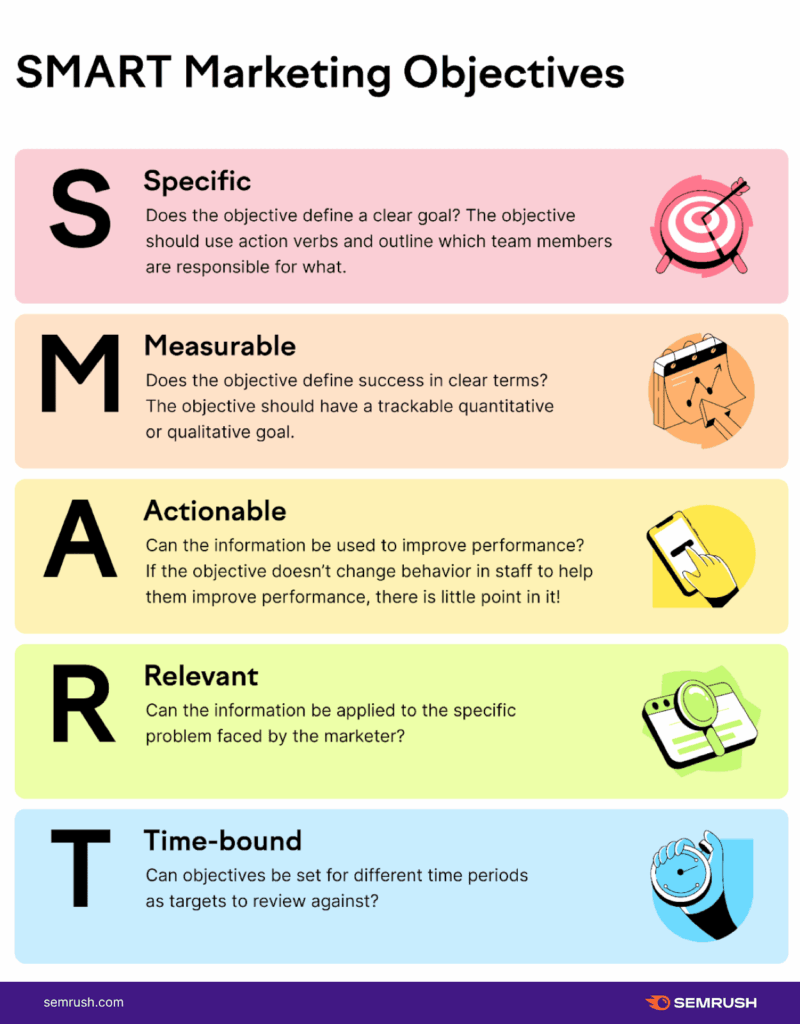
Using a simple SMART framework helps here:
-
Specific: What action should the reader take?
-
Measurable: How will you know it worked?
-
Achievable: Is this realistic for the channel?
-
Relevant: Does it support the wider business goal?
-
Time-bound: When should results show up?
In our experience, content with a single clear goal consistently outperforms “general purpose” pieces, even when they’re shorter.
Step 2: Do basic persona research (don’t skip this)
Question to answer:
Who is this really for, and what are they struggling with right now?
You don’t need a 40-slide persona deck. You do need clarity on:
-
who the reader is
-
what problem they’re trying to solve
-
what they already know
-
what they’re sceptical about
AI performs much better when you give it audience context.
Instead of asking ChatGPT to “write a blog post about X,” you’re far better off saying:
“Write for a [role] who is dealing with [specific problem] and is deciding whether [outcome].”
We’ve noticed engagement jumps simply because content finally sounded like it understood the reader.
Step 3: Run a quick content audit
Question to answer:
What’s already working, and what’s clearly not?
Before creating new content, look at what you already have:
-
Which pages get traffic but no conversions?
-
Which ones convert but don’t scale?
-
Where are there obvious gaps?
This helps you decide:
-
what to update
-
what to repurpose
-
what to stop creating
-
what to create next
AI is far more useful when it’s improving something real rather than starting from scratch every time.
Step 4: Choose tools that reduce friction, not add it
Question to answer:
Is my setup helping me publish and learn quickly?
Your CMS and content stack should make it easy to:
-
draft
-
publish
-
update
-
test
-
analyse
If publishing or changing content feels heavy, testing won’t happen. And without testing, you’re back to guessing.
In practice, teams that move fastest are the ones with fewer tools and clearer workflows.
Step 5: Decide on content formats upfront
Question to answer:
What format best fits this goal and audience?
Not every idea should be a blog post.
Depending on intent, you might need:
-
long-form articles
-
comparison pages
-
email sequences
AI works best when you tell it what format you want and why.
For example:
-
education → guides, explainers
-
evaluation → comparisons, FAQs
-
conversion → landing pages, CTAs
Choosing the format first avoids bloated content that tries to do everything.
Step 6: Brainstorm content ideas with ChatGPT (properly)
This is where most people go wrong.
Bad prompt:
“Give me 10 blog ideas about SEO.”
Better prompts (with context):
-
“Suggest content ideas for a SaaS founder struggling with low conversion rates, aimed at helping them understand what to test first.”
-
“Generate blog topics that support a landing page offering A/B testing tools, focusing on engagement and decision-making.”
-
“Create content ideas that move users from awareness to comparison in the CRO space.”
The more planning context you give ChatGPT, the less generic the output.
In our experience, the best AI ideas come after strategy, not before it.
Step 7: Publish with structure and consistency
Question to answer:
How do we avoid random, reactive publishing?
A simple content calendar helps you:
-
maintain consistency
-
balance evergreen and timely content
-
avoid duplication
-
connect content pieces together
Consistency doesn’t mean volume. It means showing up with intent.
We’ve seen smaller teams outperform larger ones simply by publishing fewer, better-planned pieces and iterating on them.
Step 8: Optimise for reach without chasing every trend
Question to answer:
Is this content designed to last, spike, or both?
A strong content plan includes:
-
Evergreen content that compounds over time
-
Timely content that captures short-term interest
AI content planning can help update evergreen pieces regularly, but only if you’re tracking how they perform.
Which brings us to the most skipped step.
Step 9: Test, don’t assume
Question to answer:
How do we know this content is actually working?
Most teams publish content, glance at traffic, and move on.
High-performing teams test.
With PageTest, that means:
-
testing headlines, not just topics
-
testing intros to reduce bounce
-
testing CTAs to improve conversion
-
testing page structure and messaging
AI helps you create variations quickly. PageTest helps you see which one actually performs.
We’ve seen:
-
small headline changes double engagement
-
softer CTAs outperform aggressive ones
-
clarity beat cleverness almost every time
Without testing, AI just helps you publish faster.
With testing, AI helps you learn faster.
Step 10: Track performance and refine
Question to answer:
What should we do more of, less of, or differently?
Track KPIs that actually matter:
-
engagement
-
scroll depth
-
conversions
-
next-step clicks
Then feed those insights back into your AI prompts and content planning.
That’s how you move from automation to optimisation.
3 Content Tests You Can Run Immediately with PageTest
These aren’t theory – These are tests we’ve seen move real numbers quickly.
Test 1: Headline clarity vs cleverness
What to test:
-
Version A: A clever or brand-led headline
-
Version B: A clear, outcome-focused headline
Why it works:
Most users decide whether to stay within a few seconds. Clear headlines consistently reduce bounce rate and increase scroll depth.
Example:
-
A: “Smarter Content for Modern Teams”
-
B: “Test and Improve Website Content That Converts”
We’ve noticed clarity-driven headlines outperform creative ones even when they feel “less exciting” internally.
Test 2: Intro framing (problem-first vs solution-first)
What to test:
-
Version A: Opening with the problem your audience is facing
-
Version B: Opening with the solution or result they want
Why it works:
Different audiences respond to different emotional triggers. Some want to feel understood. Others want reassurance fast.
What to measure:
-
bounce rate
-
time on page
-
scroll depth
In our experience, problem-first intros work better for awareness content, while solution-first often wins on conversion pages.
Test 3: CTA tone (low friction vs high commitment)
What to test:
-
Version A: Soft, low-pressure CTA
-
Version B: Direct, high-commitment CTA
Example:
-
A: “See how it works”
-
B: “Start free trial”
Why it works:
Users hesitate when commitment feels too high too early. A softer CTA often keeps them moving through the journey.
We’ve witnessed softer CTAs lift overall conversions because they reduce hesitation at key moments.
The real takeaway to AI Content Planning
Yes, you can build a content plan with ChatGPT in minutes.
But the teams seeing real results don’t stop there.
They:
-
start with strategy
-
use AI to accelerate execution
-
test language and structure
-
iterate based on behaviour, not assumptions
AI doesn’t replace thinking.
It rewards it.
say hello to easy Content Testing
try PageTest.AI tool for free
Start making the most of your websites traffic and optimize your content and CTAs.
Related Posts

31-08-2026
 Becky Halls
Spiralyze alternatives: CRO agency or software in 2026?
Spiralyze makes an offer that’s hard to argue with. “30% lift in 90 days. No fee until we deliver.” More precisely: 10 tests, 3 wins, more than 30% lift in your first 90 days, and you pay nothing until they’ve done it. I’ll say plainly what most competitor pages wouldn’t. On risk alone, that’s a better offer than […]

31-08-2026
Becky Halls
AB Tasty alternatives: an honest comparison for 2026
AB Tasty is a strong platform with a well-liked support team, sitting at 4.4 on G2 across 418 reviews. Reviewers on TrustRadius describe it as better value than pricier AB Tasty alternatives, which in this category is a real compliment. It also has the most unusual buying process here. No published pricing, and no free […]

31-08-2026
Becky Halls
The best Optimizely alternative: a comparison for 2026
Optimizely is the most capable experimentation platform on the market. I don’t think that’s seriously disputed. Server-side testing, feature flags, personalization, statistical depth, and it all runs at genuine enterprise scale. In 2026 they’ve wrapped the whole thing in “agentic experimentation” branding and shipped an AI variation development agent, and the underlying Web Experimentation product […]