


Ultimate Guide To SEO Conversion Metrics
Ultimate Guide To SEO Conversion Metrics
 14-02-2026 (Last modified: 16-02-2026)
Are your SEO efforts driving revenue – or just traffic? That’s the key question this guide answers. SEO conversion metrics help you measure how effectively your organic traffic turns into tangible business results like sales, leads, or sign-ups. Without tracking these metrics, high rankings and traffic mean little.
Key Takeaways:
- SEO Conversion Metrics: Measure actions like purchases, form submissions, or newsletter sign-ups from organic traffic.
- Hard vs. Soft Conversions: Hard conversions (e.g., purchases) directly impact revenue, while soft conversions (e.g., sign-ups) indicate future potential.
- Essential Metrics: Focus on organic clicks, conversion rates, new vs. returning visitor behavior, and metrics like Value Per Visit and Customer Lifetime Value (CLV).
- Tools: Use Google Analytics 4 (GA4) and tools like PageTest.AI to track and optimize underperforming pages.
- Optimization Tips: Align content with user intent, improve internal linking, and refine low-performing pages using a winning on-page SEO strategy.
Tracking and improving these metrics ensures your SEO strategy isn’t just about clicks – it’s about driving real business outcomes.
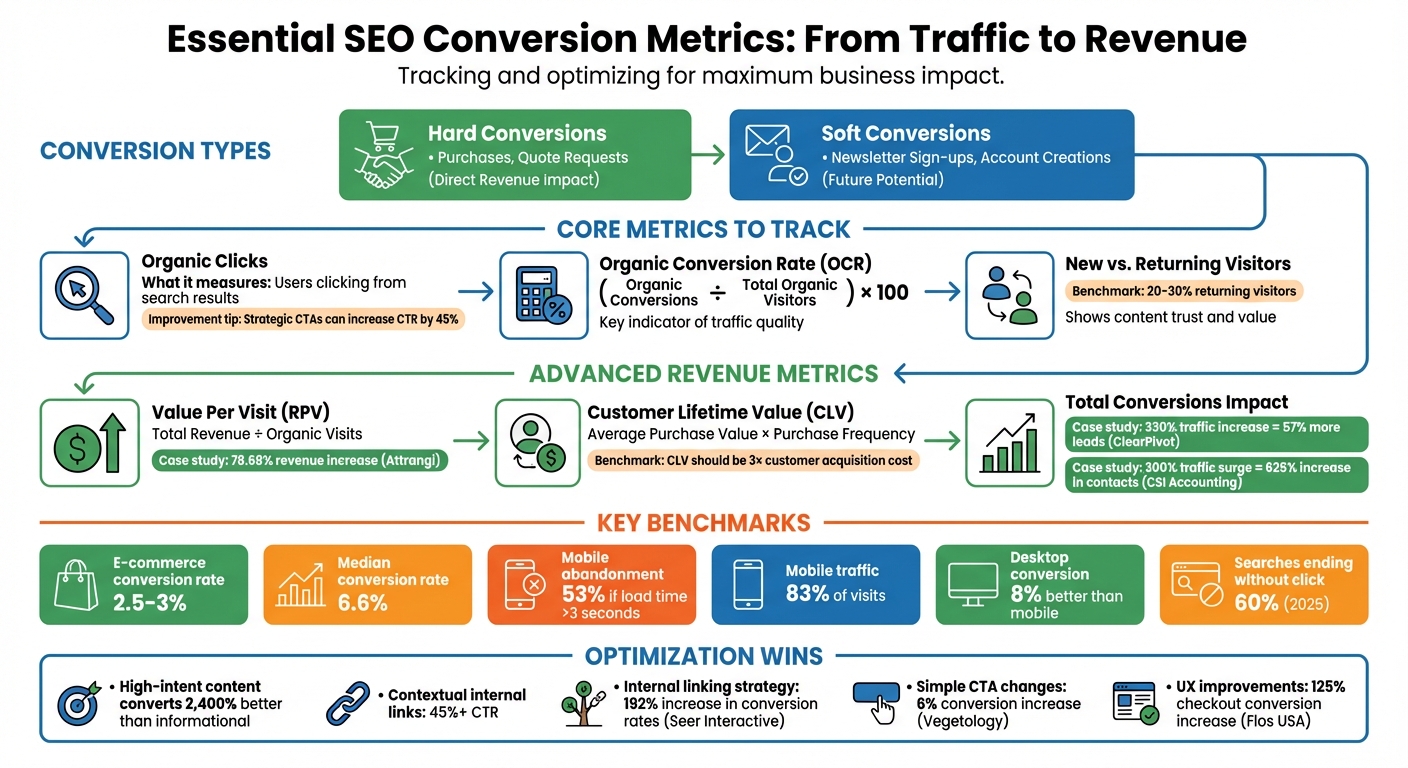
Essential SEO Conversion Metrics and Benchmarks Guide
How to Track SEO ROI in 5 Minutes (I Tracked $1,597,828.33 Easily)
sbb-itb-6e49fcd
Core SEO Conversion Metrics
Let’s dive into the key metrics that directly measure the impact of your SEO efforts, building on the conversion types we touched on earlier.
Organic Clicks
Organic clicks represent the number of users clicking through from search results. You can find this data in the Performance report within Google Search Console.
This metric reflects how well your search snippets resonate with users. For example, if your impressions are high but clicks remain low, your meta titles and descriptions might not be compelling enough or could be misaligned with user intent. To improve your click-through rate (CTR), focus on optimizing these meta tags and other on-page elements.
Adding strategic calls-to-action (CTAs) that align with user intent can increase CTR by over 45%.
Organic Conversion Rate
Organic conversion rate (OCR) measures the percentage of search visitors who complete a desired action, like making a purchase or submitting a lead form. The formula is straightforward:
(Number of Organic Conversions ÷ Total Organic Visitors) × 100.
OCR is a key indicator of traffic quality. If traffic is growing but conversions are dropping, it could signal a mismatch between your keywords and audience expectations. More visitors don’t always translate to more revenue; the focus should be on attracting the right audience.
Next, consider how visitor type impacts conversion performance.
New vs. Returning Visitor Conversion Rates
Breaking down conversion rates for new and returning visitors reveals how effectively your site supports users at various stages of the buyer’s journey. This analysis builds on the earlier discussion of hard and soft conversions, emphasizing the importance of visitor familiarity.
Google Analytics 4’s "User Acquisition" report lets you track first-time organic visitors, while segmenting returning visitors helps clarify their conversion paths.
"Understanding what actions both types of visitors take can help you better optimize your content to increase lead generation (and return visitors) across the board." – Mark Wesley, SEO Specialist, Victorious
A good benchmark is having returning visitors make up 20% to 30% of your audience. If you’re falling short, it might mean your content isn’t building enough trust or providing enough value to bring people back. Focus on creating content that not only attracts new visitors but also nurtures relationships with returning ones.
Advanced SEO Conversion Metrics
Advanced metrics help connect organic traffic directly to your revenue and overall business growth.
Value Per Visit
Value Per Visit, also known as Revenue Per Visitor (RPV), calculates the average dollar amount generated by each organic visitor. To find this, divide your total revenue by the number of organic visits. For lead generation sites, use the formula: (lead value × conversion rate) [1, 10].
This metric moves the focus away from vanity metrics like traffic volume and zeroes in on what truly matters – profit and measurable business outcomes. For instance, Attrangi used VWO to pinpoint drop-off points, leading to a 50% boost in conversions and a 78.68% increase in revenue.
In Google Analytics 4 (GA4), you can use Page Value to assign monetary worth to non-transactional pages, like blog posts. Digital marketing consultant Adriana Stein explains:
"Page value assigns an average monetary value to all pages viewed in a session where a transaction took place… although a blog didn’t necessarily produce revenue, that doesn’t mean it didn’t contribute to a customer’s buying decision in the future".
Identify pages with high organic traffic but low Value Per Visit, then refine their content to better align with user intent or improve the overall experience. While this metric captures immediate revenue impact, Customer Lifetime Value (CLV) offers insights into long-term contributions.
Customer Lifetime Value (CLV) from Organic Traffic
Customer Lifetime Value (CLV) estimates the total revenue a single customer generates over their relationship with your business. You can calculate it by multiplying the average purchase value by the purchase frequency. For organic traffic-specific insights, leverage GA4’s attribution modeling to track users acquired through "Organic Search" over multiple sessions and months [15, 19].
To monitor delayed conversions from organic leads, track short-term CLV over 30-, 60-, and 90-day windows. A common benchmark for a sustainable business model is a CLV that’s at least three times your customer acquisition cost. This metric supports the case for investing in top-of-funnel content that attracts users with high long-term value, even if they don’t convert right away.
While CLV provides a broader perspective, tracking total conversions highlights the immediate impact of your SEO efforts.
Total Conversions and Leads
Monitoring total conversions and leads from organic search ties SEO activities directly to revenue, reinforcing their importance to stakeholders [1, 16]. This includes both macro-conversions (e.g., purchases, quote requests) and micro-conversions (e.g., newsletter sign-ups, account creations) [12, 10].
For example, in 2025, ClearPivot implemented a content strategy that increased monthly website traffic by 330%, resulting in a 57% rise in lead generation for their client. Similarly, CSI Accounting and Payroll saw a 300% surge in organic traffic, which led to a staggering 625% increase in new contacts and leads.
To track the full customer journey, set up specific events in GA4 for both hard and soft conversions. If you notice low conversion rates despite high traffic, it’s worth revisiting your keyword strategy to ensure you’re attracting qualified leads rather than just visitors.
How to Calculate and Track SEO Conversion Metrics
Tracking SEO conversions effectively starts with setting up your analytics tools correctly. Since March 2024, Google has rebranded "conversions" as Key Events in GA4, aligning with its event-driven model. This change allows for more precise tracking by focusing on specific user actions rather than broad conversion tracking.
Using Google Analytics 4
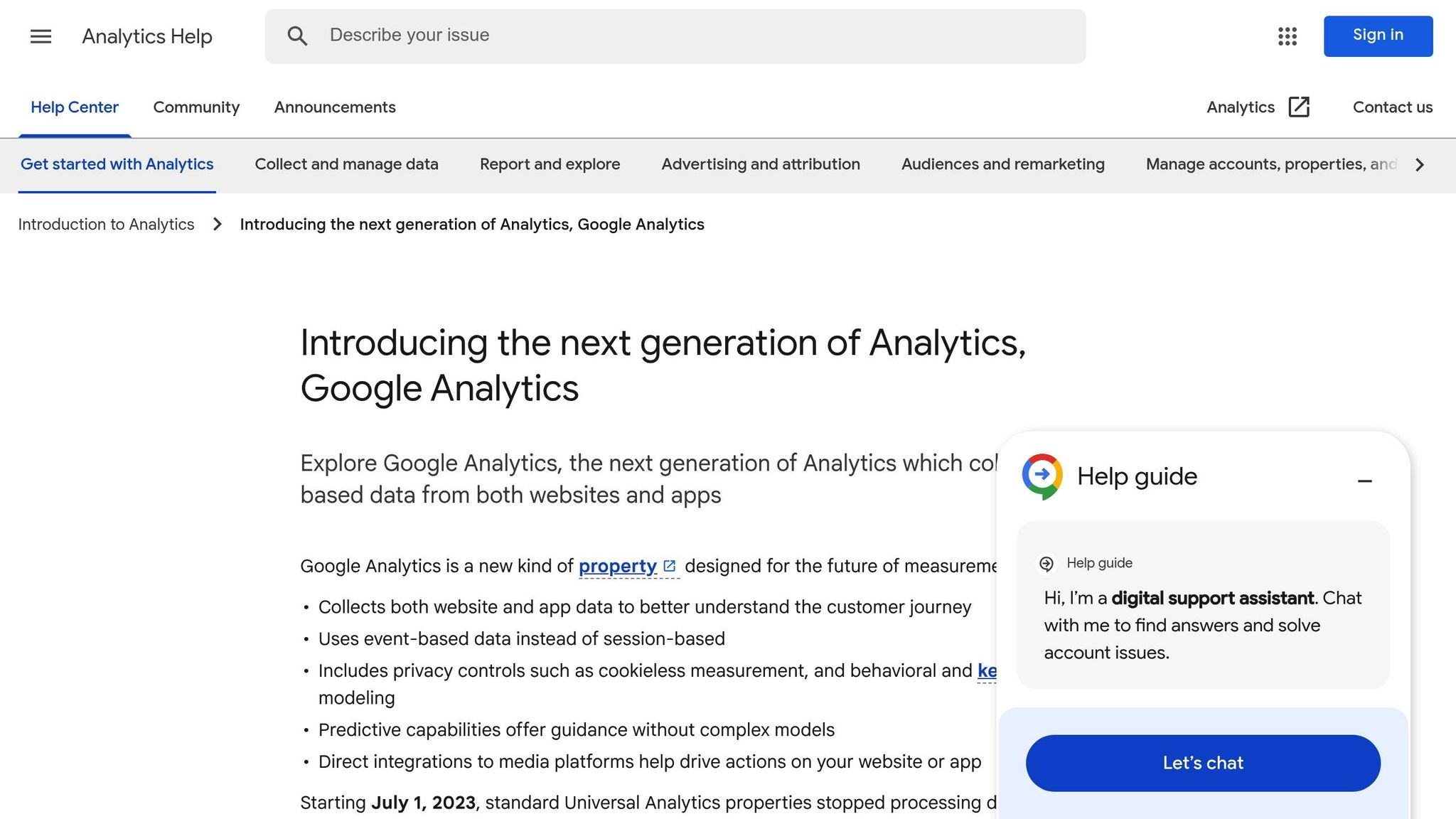
To measure key business actions like form submissions, quote requests, or free trial sign-ups, you’ll need to create custom events. Go to Admin > Data Display > Events > Create Event in GA4 to set them up. Once the event is created, make sure to mark it as a conversion.
GA4 provides two key metrics to understand your performance:
- Session Key Event Rate: The percentage of sessions that include at least one conversion.
- User Key Event Rate: The percentage of unique users who complete at least one conversion over time.
For example, an e-commerce site might report a 5% user conversion rate (500 conversions from 10,000 users) and a 4% session conversion rate (200 sign-ups from 5,000 sessions).
To focus on SEO performance, segment your traffic by "Session source/medium" or "First user medium" and filter for "organic". Linking Google Search Console to GA4 through Admin > Product links > Search Console Links can also help identify high-converting organic search queries.
Enable GA4’s enhanced measurement to automatically track actions like scrolls, outbound clicks, and site searches without manual tagging. If you need a universal conversion rate across events, use Looker Studio to create a calculated field: SUM(Conversions) / SUM(Sessions). Keep in mind, standard GA4 properties allow up to 30 custom conversion events, while GA4 360 properties permit up to 50.
With these tools in place, you can compare your performance to industry benchmarks.
Benchmarking SEO Conversion Metrics
Benchmarking helps you understand how your metrics stack up and where there’s room for improvement. For e-commerce sites, average conversion rates typically range from 2.5% to 3%, though these can vary by industry and page type.
Product pages often perform better than blog posts, which usually serve top-of-funnel purposes. Mobile optimization is critical – 53% of mobile users abandon a site if it takes longer than three seconds to load.
It’s important to track both "hard" conversions (like purchases or lead forms) and "micro-conversions" (such as newsletter sign-ups or add-to-cart actions). These metrics provide insight into user behavior throughout your marketing funnel. Use GA4’s "Conversion Paths" or "Assisted Conversions" reports to see how SEO contributes to sales, even if it’s not the final touchpoint. As Nichola Stott from Search Engine Land points out:
"Conversion rate is a fickle beast… adding a new copy to a page’s header can make your conversion rate go up – or down".
Next, let’s look at the tools that can help you track and optimize these metrics.
Best Tools for Tracking Metrics
A mix of tools gives you a comprehensive view of your SEO conversion performance. Pairing these tools with GA4 enhances your ability to identify what’s working and what isn’t.
- Google Search Console: This tool helps you pinpoint high-performing queries and landing pages, storing up to 16 months of data. The Performance report highlights clicks, impressions, CTR, and average position – key metrics for understanding how users find your site. Note that Search Console data typically appears in GA4 reports about 48 hours after collection. Use the "PAGES" tab to find URLs with the most clicks, as these often drive conversions across your site. You can also filter traffic by branded and non-branded queries to distinguish between new and returning users.
- PageTest.AI: This platform helps optimize underperforming pages by offering AI-generated variations for headlines, CTAs, button text, and product descriptions. These elements directly impact whether organic visitors convert. By analyzing clicks, engagement, and user behavior, PageTest.AI identifies areas where your pages can better align with user intent.
In GA4’s "Pages and screens" report, add the "Key Event Rate" metric and filter for organic traffic to find high-traffic pages with low conversion rates. Checking the "Exit Rate" for key conversion pages can also reveal technical issues or confusing user flows. Segmenting by device type – mobile, desktop, or tablet – can highlight areas where specific users are falling short.
Optimizing SEO Conversion Metrics with PageTest.AI
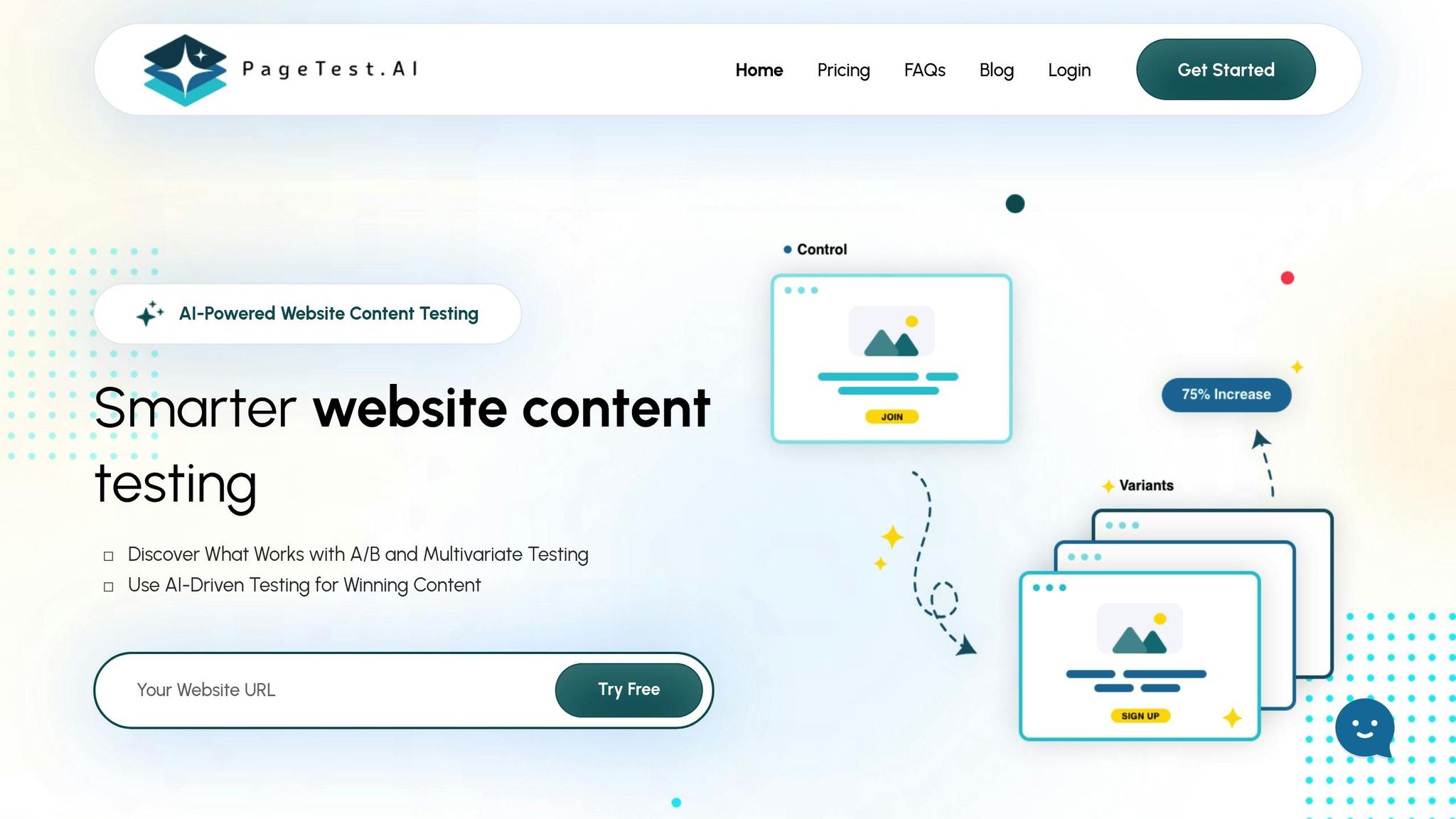
GA4 can shine a light on underperforming pages, but the real magic happens when you take the next step: optimizing those pages. That’s where PageTest.AI comes in. This no-code platform makes it easy to test and fine-tune the elements that drive organic conversions.
What Is PageTest.AI?
PageTest.AI is a tool designed for marketers who want to run A/B and multivariate tests without writing a single line of code. Using its Chrome extension, you can select and test key on-page elements to see what clicks with your audience. It works with virtually any website builder or CMS – whether you’re using WordPress, Wix, Shopify, or Magento. All it takes is adding a small code snippet to your site.
"Love this product, it means we get the most from our site’s traffic. Knowing we can test every call to action and optimize our SEO efforts is very satisfying"
That’s how David Hall, CEO of AppInstitute, describes his experience with PageTest.AI.
Features for SEO Conversion Optimization
PageTest.AI offers real-time analytics to give you a detailed picture of how visitors interact with your site. Metrics like time on page, scroll depth, bounce rate trends, and click events reveal where users are falling off. Its AI-powered engine then identifies which content variations perform best.
Here’s what you can test:
- Internal links
- CTA designs
- Keyword placements
- Title tags and meta descriptions
- Subheading formats and paragraph lengths
For example, experimenting with different content structures or tweaking keyword positioning can help boost your click-through rates while lowering bounce rates. These insights aren’t just about improving individual pages – they feed directly into your larger SEO strategy by ensuring your content aligns with user intent .
How PageTest.AI Supports SEO Goals
PageTest.AI takes the insights you get from GA4 and helps you turn them into action. Let’s say GA4 flags a landing page with high traffic but low conversions. With PageTest.AI, you can test adjustments like moving your CTA, rewording button text, or tweaking the tone of your copy to better connect with your audience.
As Zach Paruch, SEO Content Strategist at Semrush, puts it:
"Generally, users don’t care about features. They care about results/benefits and with the new popup, I wanted to trigger an emotional response"
PageTest.AI doesn’t just track conversions on the tested page – it follows the visitor’s entire journey to give you a full view of how your changes impact the funnel. Plus, with pricing that starts at $0 for up to 10,000 test impressions and 5 pages, it’s a solution that fits businesses of all sizes.
Tips for Improving SEO Conversion Metrics
To make your organic traffic work harder for you, focus on refining your on-page SEO, navigation, and page performance. Here’s how you can do it effectively:
Create Intent-Aligned Content
Your content should directly match the intent behind user searches. A good starting point is to analyze the Search Engine Results Pages (SERPs) for your target keywords. If the top results are guides, the intent is likely informational. If product pages dominate, the intent is geared toward purchasing.
Prioritize keywords with clear buying intent – those at the bottom of the funnel. Research shows that high-intent content can convert up to 2,400% better than informational pieces. This approach allows you to meet specific search goals while seamlessly incorporating contextual calls-to-action to guide users toward the next step.
A great example of this is Vegetology, a health supplement brand. In October 2024, they swapped their generic tagline, "It’s in our nature", for more engaging alternatives and added customer testimonials above the fold. According to Svitlana Shchehel, this simple tweak led to a 6% increase in conversion rates. The lesson? Align your messaging with where users are in their buying journey.
Once your content matches user intent, amplify its impact with effective internal linking.
Use Internal Linking
Internal links are a double win: they help search engines crawl your site and guide users from informational pages to those designed for conversions. For example, in December 2019, Seer Interactive‘s Technical SEO team, led by Allison Hanh, identified over 80 internal linking opportunities for an e-commerce client. By linking FAQs and blog posts to product pages, the client saw a 192% increase in organic conversion rates, a 76% rise in transactions, and a 116% boost in revenue. Additionally, the percentage of visitors who didn’t view a product page dropped by 58%.
For best results, use contextual links within your content. These links often achieve click-through rates exceeding 45%. Make sure your anchor text clearly signals the destination page’s purpose, and ensure critical commercial pages are no more than three clicks away from your homepage.
With your internal linking in place, turn your attention to underperforming pages.
Test and Optimize Low-Performing Pages
High-traffic pages that don’t convert well are opportunities waiting to be unlocked. Use tools like GA4 and heatmaps to identify where users drop off.
Take Flos USA, an interior design manufacturer, as an example. By analyzing user behavior, they discovered issues in their "Choose Finish" options. Updating this feature to include color swatches and improving cart navigation resulted in a 125% increase in checkout conversions and an 18× return on investment. Similarly, multimedia company Avid ran an A/B test comparing purple banners with bold bullet points, which led to a 34% increase in conversions.
Start with straightforward adjustments: reduce the number of form fields, add trust signals like security badges and testimonials, and ensure calls-to-action are immediately visible without scrolling. Tools like PageTest.AI can help you experiment with headlines, CTAs, and content layouts to find what works best.
Conclusion
Turning organic traffic into measurable revenue hinges on tracking and improving SEO conversion metrics. Terrence Ngu, AI SEO Specialist at Hashmeta, sums it up perfectly:
"Organic traffic alone tells you almost nothing about whether your SEO efforts are actually working".
The real game-changer is identifying which pages guide prospects through your funnel and understanding how much revenue each visitor contributes.
This shift – from focusing on clicks to prioritizing profits, leads, and customer lifetime value – is crucial for sustainable business growth. Modern SEO demands tracking both macro conversions (like purchases or demo requests) and micro conversions (such as newsletter sign-ups or PDF downloads). These metrics help pinpoint friction points before they impact your results. By combining quantitative tools like Google Analytics 4 with qualitative insights from heatmaps and user behavior analysis, you create a clear path for ongoing improvement.
Consider the data: the median conversion rate sits at 6.6%, but mobile load times exceeding 3 seconds cause 53% of users to abandon the page. Even though mobile accounts for 83% of visits, desktop traffic converts 8% better. These figures highlight untapped opportunities to boost ROI without increasing acquisition costs.
To act on these insights, fostering a culture of experimentation is key. Testing should become a routine, not an occasional effort. Set clear, outcome-driven goals – like improving product demo bookings from 2% to 3% – instead of vague targets like "get more leads". Start with quick, high-impact changes and then tackle more complex optimizations. Tools such as PageTest.AI, highlighted throughout this guide, can help you test headlines, CTAs, and content variations to find what truly resonates with your audience.
As search behavior evolves, proving financial results through SEO becomes more critical. With nearly 60% of searches now ending without a click due to AI-powered search experiences, making the most of your traffic is more important than ever. Focus on the metrics that matter, test continuously, and let data shape your strategy.
FAQs
Which SEO conversion metrics matter most for my business?
When it comes to SEO, the most important conversion metrics will vary depending on your specific goals. However, some commonly tracked ones include conversion rate, micro conversions, and metrics that connect organic traffic to revenue and customer behavior.
For instance, you might look at clicks, engagement levels, or even customer lifetime value to gauge how well your SEO efforts align with your business objectives. The key is to focus on metrics that offer a clear reflection of your goals, helping you measure success in a way that truly matters for your business.
How do I track organic conversions correctly in GA4?
To keep tabs on organic conversions in GA4, start by identifying key actions that matter to your business, like form submissions or purchases. Set these as events in GA4 and mark them as conversions. Then, dive into GA4’s detailed reports and custom exploration tools to break down organic traffic and conversion data. This approach gives you the insights you need to track performance and make informed decisions based on real data.
How can I tie SEO to revenue when conversions happen later?
To link SEO efforts to revenue when conversions happen down the line, focus on metrics that directly relate to business outcomes, such as leads or sales, rather than just traffic or rankings. Implement attribution models to trace the customer journey over time, helping you pinpoint how SEO contributes to those eventual conversions. This method offers a more accurate picture of SEO’s role in driving revenue.
Related Blog Posts
say hello to easy Content Testing
try PageTest.AI tool for free
Start making the most of your websites traffic and optimize your content and CTAs.
Related Posts

31-08-2026
 Becky Halls
Spiralyze alternatives: CRO agency or software in 2026?
Spiralyze makes an offer that’s hard to argue with. “30% lift in 90 days. No fee until we deliver.” More precisely: 10 tests, 3 wins, more than 30% lift in your first 90 days, and you pay nothing until they’ve done it. I’ll say plainly what most competitor pages wouldn’t. On risk alone, that’s a better offer than […]

31-08-2026
Becky Halls
AB Tasty alternatives: an honest comparison for 2026
AB Tasty is a strong platform with a well-liked support team, sitting at 4.4 on G2 across 418 reviews. Reviewers on TrustRadius describe it as better value than pricier AB Tasty alternatives, which in this category is a real compliment. It also has the most unusual buying process here. No published pricing, and no free […]

31-08-2026
Becky Halls
The best Optimizely alternative: a comparison for 2026
Optimizely is the most capable experimentation platform on the market. I don’t think that’s seriously disputed. Server-side testing, feature flags, personalization, statistical depth, and it all runs at genuine enterprise scale. In 2026 they’ve wrapped the whole thing in “agentic experimentation” branding and shipped an AI variation development agent, and the underlying Web Experimentation product […]