


Ultimate Guide to Trust Signals for CRO
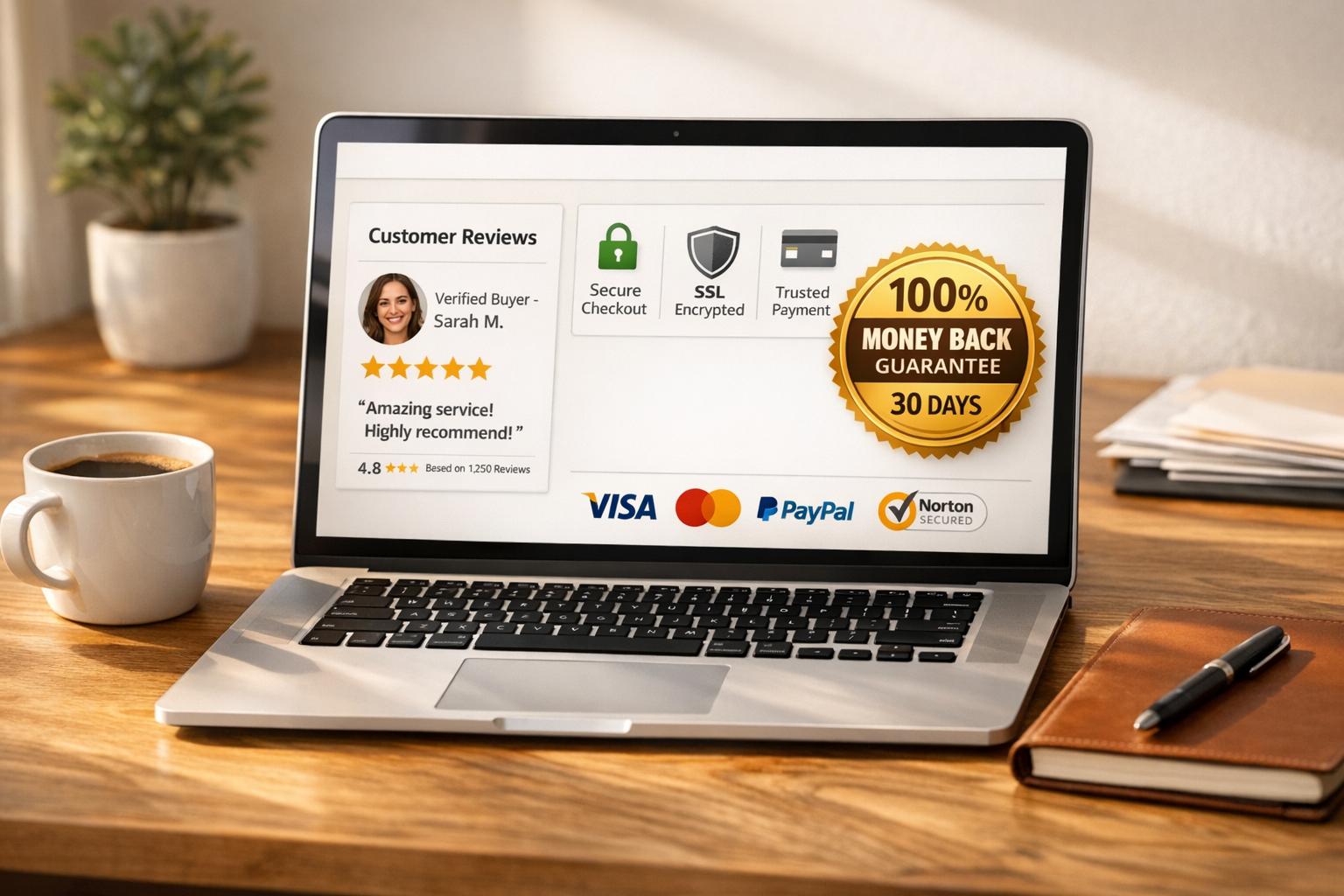
Ultimate Guide to Trust Signals for CRO
 06-01-2026 (Last modified: 09-01-2026)
Trust signals are the key to boosting conversions on your website. They help visitors feel confident about your brand, product, or service by addressing common concerns like security, quality, and reliability.
Here’s what you need to know:
- Trust signals include customer reviews, security badges, guarantees, and clear contact information.
- They work by reducing hesitation and increasing confidence during critical decision points.
- For example, adding a McAfee Secure badge increased conversions by 1%, while a 30-day money-back guarantee boosted sales by 32.57%.
- Effective trust signals leverage social proof, authority, and zero-risk bias to influence user behavior.
- Placement matters – add trust signals on checkout pages, product pages, and pricing tables to maximize their impact.
Our thoughts: Trust signals are not just extras – they directly influence purchasing decisions. By testing and strategically placing these elements, you can turn hesitant visitors into paying customers.

Trust Signals Impact on Conversion Rates: Key Statistics and Performance Data
The Role of Trust Signals in Website Design and Conversion
What Trust Signals Are and Why They Matter
Trust signals are the visual or textual cues on your website – like customer reviews, security badges, certifications, and guarantees – that help reduce uncertainty and build credibility for your business. These elements address the challenge of “information asymmetry”, encouraging users to trust unfamiliar products or services. In fact, 98% of consumers recognize at least one trust symbol that makes them more likely to make a purchase.
These signals play a crucial role at key decision points, such as pricing or checkout pages, where concerns about cost or security are often heightened. For example, simply adding security badges can boost form completion rates by 15–25% in industries like financial services. These basics set the stage for understanding the psychology behind their effectiveness.
The Psychology Behind Trust Signals
Trust signals tap into core psychological principles that guide decision-making. One of the most effective principles is social proof, which leverages our instinct to follow others in uncertain situations. When we see others making positive purchases, it reassures us that our choice is a “safe” one. This is why 82% of consumers are influenced by positive star ratings and reviews.
Another powerful principle is authority, which builds credibility by associating your business with respected institutions. Certifications, awards, and media mentions lend trustworthiness by connecting your brand to established sources of authority. Then there’s zero-risk bias, which explains the effectiveness of money-back guarantees. People naturally gravitate toward options that completely eliminate risk rather than just reducing it.
People feel the need to be informed by accurate information, and when they lack confidence in their own knowledge, they turn to others in the hope that they will provide them with the correct information.
These psychological drivers directly influence how users behave on your site, often turning hesitation into action.
How Trust Signals Affect Conversion Rates
The numbers make it clear: trust signals significantly impact conversions. 66% of customers say social proof increases their likelihood to purchase, and this effect is even stronger among younger buyers – 72% of Gen Z consumers rely on social proof, compared to 63% of Baby Boomers. Additionally, showcasing star ratings and reviews on a homepage can convince 86% of customers to buy from a new company.
“The average length of site visits has increased since we added review widgets to various landing pages. People clearly want to read about other people’s experiences.” Janne Nieminen, Marketing and Sales Director at Academy of Brain
The key is to align the right trust signal with the specific concern. For example, use security badges to reduce worries about data privacy, social proof to address doubts about quality, and guarantees to ease fears about commitment. These strategies highlight how trust signals transform visitor doubts into confident purchasing decisions.
Main Types of Trust Signals
Trust signals generally fall into four main categories: social proof, security badges, transparency elements, and professional design. Each plays a unique role in building credibility. Social proof taps into the idea that people feel safer making decisions when they see others doing the same. Security and compliance badges help ease concerns about sharing sensitive information by showing that your site protects user data. Transparency elements, like clear policies or accessible contact details, establish trust by demonstrating openness. And finally, professional design acts as an immediate trust indicator – 75% of people say they judge a company’s credibility based on its website design.
The effectiveness of each trust signal often depends on where a customer is in their buying journey. For example, social proof is especially impactful during the research and comparison stages, while security badges become critical at checkout when payment details are required. Let’s take a closer look at each category and how it addresses specific customer concerns.
Social Proof: Testimonials, Reviews, and Case Studies
Social proof works by leveraging four psychological drivers: uncertainty (seeking guidance in unfamiliar situations), similarity (trusting feedback from relatable individuals), expertise (relying on knowledgeable sources), and number (being influenced by the volume of satisfied customers). In fact, 66% of customers say that social proof increases their likelihood of making a purchase.
The format of social proof matters. Reviews on third-party platforms like Google, Trustpilot, or G2 are often seen as more credible than testimonials hosted on a brand’s own site because they appear unbiased. When using testimonials, make them as authentic and detailed as possible – include full names, photos, job titles, and specific outcomes instead of vague praise. As Joanna Wiebe from Copyhackers puts it:
“[Your testimonials] need to be like highly credible witnesses in your case – with photos, full names, professions, and examples of what you’ve done for them – not just marketing copy in quotation marks”.
For B2B and SaaS companies, case studies are particularly effective. They provide a detailed narrative of a client’s problem, how your product or service solved it, and the measurable results. Similarly, user-generated content, such as customer photos or social media mentions, offers visual proof of your product in action. This type of content resonates strongly – 78% of shoppers feel more confident about a purchase when they see user-generated content, and websites with customer reviews see a 67% higher conversion rate.
Keeping testimonials and reviews up-to-date is crucial. Outdated feedback can harm your credibility. For high-stakes purchases, video testimonials can be especially persuasive – 77% of viewers say these videos helped convince them to buy.
While social proof builds trust through customer feedback, security badges tackle concerns about online safety.
Security and Compliance Badges
Security badges address a core concern for online shoppers: safety. A significant 17% of shoppers abandon their carts because they don’t trust the site with their payment information, and 35% of Americans have experienced credit card fraud at least once. Security badges provide a visual assurance that their data is protected.
Some of the most effective security signals include SSL/TLS certificates (indicated by the padlock icon and HTTPS in the browser), security seals from trusted providers like Norton or McAfee, compliance badges that show adherence to regulations like GDPR or CCPA, and payment icons from familiar companies like Visa or PayPal. These badges work – 76% of customers are more likely to buy when they see a safe checkout badge.
“The average person’s trust in a website usually comes down to gut feeling rather than technical knowledge. And that gut feeling is highly influenced by how visually secure a site looks.” – Salman Ravoof, Author, Kinsta
To maximize their impact, place these badges at critical points where users share sensitive information, such as checkout pages or registration forms. Use recognizable brands like Google, Norton, or the Better Business Bureau to enhance credibility, but avoid overloading your site with too many logos, as this can appear untrustworthy. Instead, stick to one or two well-known badges and ensure they are live, allowing users to verify their authenticity.
Building Trust Through Transparency: Policies and Contact Information
Transparency reassures customers that your business is legitimate. Clear contact details, straightforward return policies, and upfront pricing reduce the perceived risks of scams or disappointing purchases. Consider this: 86% of B2B buyers say they need full pricing transparency before making a purchase, and 67% of shoppers check a site’s return policy before committing.
Money-back guarantees are another powerful tool. They tap into the “zero-risk bias”, where customers gravitate toward options that seem to eliminate risk. For example, one website saw a 32.57% increase in sales after adding a 30-day money-back guarantee badge. Additionally, 92% of customers are more likely to return for future purchases if the returns process is simple and hassle-free.
To build trust, make these policies easy to find – place them in the footer or on dedicated pages. Additionally, offer multiple contact options, such as phone numbers, emails, and even a physical address, to show you’re accessible and committed to customer service. A clean, professional design further reinforces these trust signals.
Professional Design and Website Credibility
Your website’s design plays a huge role in how credible your business appears. Clean layouts, easy navigation, and error-free content signal professionalism and competence. On the other hand, poor design – like broken layouts or slow load times – can undermine trust, even if your site includes strong security features.
But design isn’t just about looks – it’s also about functionality. Broken links, overlapping text, or confusing navigation can make users question your legitimacy. High-quality, authentic visuals can also make a big difference. For instance, real team photos or genuine product images are far more effective at building trust than generic stock photos. Even small design elements, like displaying client logos on product pages, can have a big impact – boosting new leads by 69%.
Consistency is key. Use cohesive branding, clear content hierarchies, and intuitive user flows across all pages to create a seamless and secure shopping experience.
Where to Place Trust Signals for Best Results
Even the most effective trust signals won’t work if they’re hidden away. Placing these signals at moments when users feel uncertain can boost conversions by 30–40% for lesser-known brands selling products over $100. The key is to match trust signals with the points in the user journey where reassurance is most needed. Let’s break down the best areas on your site to showcase these signals.
Best Locations for Trust Signals
Each page on your site serves a unique purpose, and your trust signals should address the specific concerns users face at each stage of their journey.
On your homepage, focus on establishing credibility right away. Place aggregate star ratings or recognizable client logos above the fold – 86% of consumers say this increases their likelihood of making a purchase. This sets a solid foundation of trust before users explore further.
Product pages call for more targeted reassurance. Product-specific reviews and star ratings should be placed near product images, as this can drive a 12–18% increase in conversions. Additionally, position money-back guarantees and “free shipping” badges close to the “Add to Cart” button. Anxiety tends to peak at this point, and having these trust signals nearby can boost conversions by 6–10%.
On checkout pages, security is the top priority. Include security badges and payment logos near credit card fields to ease concerns, which can raise conversions by up to 30%. Payment method logos alone can increase trust by 8–12%. Keep in mind that 18% of users actively look for security indicators before entering payment details.
For pricing pages, where users often experience decision-making anxiety, prominently display ROI-focused testimonials and clear messaging like “no hidden fees.” Meanwhile, the footer is a great spot for elements like privacy policies, terms of service, and contact details. These don’t need to take up prime space but should remain easy to find.
One crucial tip: limit yourself to 3–4 trust signal types per page. Overloading a page with too many badges or logos can backfire, reducing conversions by 5–8% because it may come across as desperate rather than confident. Instead, choose the most relevant signals for each page and ensure they stand out.
With these strategic placements in mind, the next step is testing to see what works best for your audience.
Testing Different Placements
Not all audiences respond the same way, so testing your trust signal placements is essential. Jesse Schor, Head of Growth at Webstacks, explains:
When trust signals are present and visible, they create a sense of security. Visitors feel more confident engaging with your brand and are more likely to take meaningful action.
Experiment with both the presence and placement of trust signals. For instance, you could test placing security badges above the checkout form versus next to the payment fields. Tools like heatmaps and scroll tracking can help you see if users notice your trust signals or if they’re scrolling past them. You can also analyze hover data on badges and testimonials to gauge engagement.
Mobile optimization deserves special attention. On smaller screens, text-based signals like “Free 30-day returns – no questions asked” often perform better than small badges. If you use badge images, make sure they’re at least 60 pixels wide to remain clear and visible.
Consider segmenting your test results by user type. For example, new visitors may respond more strongly to trust signals since they’re still evaluating your brand, while returning customers might need less reassurance. Additionally, tailor trust signals based on referral sources – users coming from paid ads might need quicker reassurance compared to those arriving organically or via direct traffic.
To simplify the testing process, tools like PageTest.AI (https://pagetest.ai) let you experiment with different trust signal placements and variations without requiring coding. These platforms track performance metrics like clicks, engagement, and user behavior, giving you clear insights into what works best. By relying on data, you can fine-tune your trust signal strategy and maximize its impact.
sbb-itb-6e49fcd
Measuring and Improving Trust Signal Performance
Placing trust signals strategically is important, but knowing how they perform is just as crucial. By tracking their impact, you can figure out what’s working, what’s not, and how to make meaningful improvements. The good news? You don’t need an overly complex analytics setup to get started.
A/B Testing Trust Signals
A/B testing is a straightforward way to evaluate the effectiveness of trust signals. The key is to test one change at a time – for example, comparing pages with and without a security badge or testing different wording for a guarantee. This lets you pinpoint which changes actually drive results.
Start with a clear, data-based hypothesis. Josh Gallant, Founder of Backstage SEO, explains it well:
Because we observed [data/insight], if we add security badges, checkout completions will increase.
For instance, if checkout abandonment is high, you might hypothesize that adding security badges near payment fields could reduce drop-offs. When running tests, aim for at least two weeks or 1,000 conversions to get statistically reliable results. Try variations like placing security badges above or next to payment fields, or comparing a specific text-based guarantee (like “30-day money-back guarantee – no questions asked”) with a generic badge icon. Specific claims often outperform generic visuals by 5–10%.
Tools like PageTest.AI (https://pagetest.ai) make A/B testing easier, offering no-code solutions to test trust signal placement, size, and wording. These tools also track key performance metrics like clicks, user engagement, and behavior patterns.
Tracking Trust Signal Impact with Metrics
Once you’ve identified impactful changes, it’s time to measure their performance using clear metrics. Focus on conversion-related data to understand how trust signals influence revenue.
| Metric Category | Specific Metric | Purpose |
|---|---|---|
| Conversion | Checkout Completion Rate | Measures if security signals near payment fields are effective |
| Conversion | Add-to-Cart Rate | Evaluates how guarantees and reviews influence purchase decisions |
| Behavioral | Time on Page | Highlights if users hesitate due to badge clutter or unclear messaging |
| Behavioral | Abandonment by Step | Pinpoints funnel stages where trust may be lacking |
| Post-Purchase | Support Ticket Volume | Indicates if trust signals set clear expectations or cause confusion |
| Post-Purchase | Retention Rate | Reveals whether trust signals attract loyal, repeat customers |
Segmenting data by new versus returning visitors can also uncover valuable insights. For first-time buyers, trust signals can boost conversions by as much as 30–40% for lesser-known brands selling products over $100. However, for established giants like Amazon or Walmart, the impact is minimal – around 0–3%.
Be cautious about overloading users with too many badges. Displaying more than 3–4 different badge types can actually hurt conversions, decreasing them by 5–8%. The Baymard Institute highlights this risk:
When sites display 6+ different security seals, users question legitimacy. The reasoning: ‘If they need this many badges to convince me they’re safe, maybe they’re not actually safe’.
Don’t overlook post-purchase metrics either. For example, if adding a “money-back guarantee” signal leads to more support tickets about refund policies, it could mean the guarantee isn’t being communicated clearly or is attracting high-churn customers.
Using Heatmaps and User Behavior Data
Heatmaps and session recordings can show whether users actually notice your trust signals. Click heatmaps, for example, reveal if users interact with badges. If users frequently click on a badge, they might expect it to lead to a verification page. Failing to provide that link could harm your credibility.
Make sure all badges are clickable and lead to third-party verification pages. Unlinked or fake badges can permanently damage user trust. Scroll tracking is another valuable tool – it ensures trust signals are visible within the user’s viewport. A badge placed below the fold won’t reassure users if they never scroll down far enough to see it.
Analytics-backed teams tend to perform better, with a 32% improvement per test, while adding heatmap data boosts success rates by another 16%. Track micro-conversions – like users clicking on reviews or viewing security policies – to gauge early trust-building.
On mobile devices, ensure badges are at least 60 pixels wide for readability. Text-based signals like “Free returns through January 15, 2026” often work better than small badge images on smaller screens. These insights can help you fine-tune your approach and maximize the impact of your trust signals.
How to Implement a Trust Signal Strategy
To implement trust signals effectively, start with a thorough review of what you already have, test new elements, and refine based on real-world data. This method ensures every change you make improves user confidence and boosts conversions.
Reviewing Your Current Trust Signals
Begin by identifying key pages where users often hesitate – like pricing pages, product pages, or checkout flows. These are the areas where trust signals can make the biggest difference. For instance, on a checkout page, users might wonder, “Is my payment information secure?” On product pages, they might ask, “Can I trust the quality of this product?” Match these concerns to the trust signals you currently have, such as social proof (reviews, testimonials), security indicators (SSL certificates, payment badges), or transparency elements (clear return policies, contact details).
Also, evaluate the overall credibility of your website’s design. Research shows that users form an impression of your site in just 50 milliseconds. If your site looks outdated, loads slowly, or isn’t mobile-friendly, even the best trust signals won’t help. Avoid cluttered designs – too many badges or testimonials can backfire by making your site seem less trustworthy.
Make sure your trust signals are up-to-date and believable. For example, old reviews or testimonials that lack real names and photos can erode trust. Dan Shewan from WordStream emphasizes:
Authenticity is key to the success of this kind of trust signal. If people can’t trust the reviews on your site, they can’t trust you – period.
Once you’ve audited your current trust signals, you’ll be ready to address specific user doubts by planning targeted improvements.
Planning and Testing New Trust Signals
Using insights from your audit, prioritize adding and testing new trust signals based on your audience and business type. For example:
- Ecommerce sites: Focus on reviews, security badges, and guarantees.
- SaaS companies: Case studies and compliance certifications (e.g., SOC 2, GDPR) can build trust.
- B2B businesses: Highlight client logos, endorsements, and industry awards.
To decide which changes to test first, try the PIE Framework: rank potential tests by Potential (room for improvement), Importance (page value or traffic), and Ease (how simple it is to implement). This ensures you focus on changes that can deliver meaningful results with minimal effort.
Test your updates using A/B testing. Run each test for at least two weeks or until you’ve recorded 1,000 conversions for reliable results. Small details can make a big difference – specific guarantees like “30-day money-back guarantee, no questions asked” often outperform generic badges by 5–10%.
For an easier testing process, tools like PageTest.AI (https://pagetest.ai) can help. This no-code platform generates variations of trust signals and tracks metrics like clicks and user engagement, showing you what works.
Placement is key. Add trust signals near decision points – like form fields, checkout buttons, or pricing tables. For mobile users, make sure badges are at least 60 pixels wide for readability and link them to verification pages for added credibility.
Refining Trust Signals Based on Data
Testing is just the beginning – ongoing refinement is essential. Use real-time metrics to adjust your strategy. For instance, trust signals often have a stronger effect on first-time visitors, especially for newer or lesser-known brands.
Keep in mind that overloading a page with too many trust signals can backfire. Studies show that displaying more than 3–4 badge types on a single page can reduce conversions by 5–8%. As User Intuition explains:
A single questionable trust signal can undermine legitimate ones through contamination effects.
Pay attention to heatmaps and session recordings. If users frequently click on a badge expecting to verify it, make sure it links to a credible third-party page. Fake or unverifiable badges can do more harm than good.
Post-purchase metrics can also reveal how well your trust signals are working. For instance, if a money-back guarantee increases refund-related support tickets, it may need clearer wording. On the other hand, a trust signal that slightly lowers conversions but attracts higher-quality leads or reduces support tickets could still be a win.
Finally, keep your trust signals fresh. Automate review collection to ensure feedback stays current, and update testimonials regularly to avoid giving the impression of an abandoned site. By continuously refining your trust signals based on user behavior and performance data, you’ll turn them into powerful tools for building confidence and driving results.
Conclusion
Trust signals play a crucial role in easing customer doubts and increasing conversions. By placing them strategically – like on checkout pages, pricing tables, or next to “Add to Cart” buttons – you can address hesitation exactly when it arises. For instance, studies show that 58% of users engaging with customer reviews are more likely to make a purchase, while security badges can boost form completion rates by 15–25%.
When using trust signals, finding the right balance is key. Too few can leave visitors uncertain, while too many might overwhelm and distract them. As Dan Shewan from WordStream aptly states:
Trust signals are a powerful way to put your visitors at ease… however, they’re no substitute for good customer service, a commitment to ethical business practices, and offering the best products.
Equally important is testing your trust signals. Research reveals that only 1 in 8 A/B tests produces significant results, so rely on data rather than assumptions. To optimize, focus on one variable at a time, run tests for at least two weeks, and use tools like PageTest.AI (https://pagetest.ai) to create variations and track performance metrics. This helps you identify what resonates most with your audience without needing advanced technical skills.
Remember, trust-building isn’t a one-time effort. Keep customer reviews updated, ensure security badges link to reputable sources, and monitor both conversion rates and quality metrics like support ticket volume. Even small, data-driven tweaks can have a big impact – doubling your conversion rate from 2% to 4% effectively doubles your results without increasing your marketing budget.
To start, audit your highest-traffic pages to spot where users tend to drop off. Then, test trust signals at these friction points. A systematic, data-driven approach can help turn hesitant visitors into loyal customers.
FAQs
How can I choose the best trust signals to boost my website’s credibility?
To choose the best trust signals for your website, start by digging into what your audience cares about most. Trust signals – like customer reviews, security badges, or guarantees – are all about giving visitors confidence in your site. Think about who your audience is and what matters to them. For instance, B2B buyers might appreciate certifications or partner logos, while retail shoppers are more likely to look for star ratings or hassle-free return policies.
Once you know what resonates with your audience, focus on trust signals that support your conversion goals. Place these signals strategically where they’ll make the biggest difference, such as product pages, checkout areas, or lead forms. Some common examples include social proof (like reviews and testimonials), security indicators (such as SSL badges or privacy policies), and guarantees (like money-back offers). Additional details, like contact information or team photos, can be tucked into less prominent spots, such as the footer or the “About” page.
Lastly, don’t forget to test and tweak your trust signals to see what works best. Tools like PageTest.AI can help you experiment with different placements and styles, giving you valuable insights from real-time data. By customizing your trust signals to match your audience and refining them over time, you’ll build a website that feels more trustworthy and encourages conversions.
What are the best practices for placing trust signals to boost conversions?
To make the most of trust signals and boost conversions, focus on these smart strategies:
- Place trust signals near key decision points: Position elements like security badges, payment method icons, and guarantees close to critical actions, such as the price display or the “Add to Cart” button. Reinforce confidence by repeating simple badges near the final call-to-action on checkout pages.
- Showcase social proof early: Feature customer reviews, star ratings, or testimonials prominently – ideally above the fold on product or landing pages. This builds credibility right away, before users dive deeper into the page.
- Keep layouts clean and intentional: Stick to the most relevant trust signals (around 3–5) to avoid overwhelming visitors. Group similar items, like awards or media mentions, together to maintain a polished and organized look.
For the best results, experiment with different placements and designs using tools like PageTest.AI. This helps you track performance metrics and confirm that your trust signals are effectively driving engagement and conversions.
How do I evaluate the effectiveness of trust signals on my conversion rates?
To understand how trust signals influence your conversion rates, start by documenting your current metrics. For example, note your conversion rate (e.g., 2.5%) and average order value (e.g., $79.99). These figures will serve as your starting point for comparison.
Next, design a test version of your page that includes trust signals – such as customer reviews, security badges, or guarantees – while leaving everything else unchanged. Use a tool like PageTest.AI, an AI-powered CRO platform, to conduct an A/B test. This splits your traffic evenly between the original page and the updated version, tracking metrics like clicks, engagement, and conversions.
Once you’ve gathered data from a statistically significant sample size (e.g., 1,000 or more visitors per version), analyze the results. Pay attention to metrics like conversion rates, revenue per visitor, and user engagement. If the updated page shows a noticeable improvement, roll out those trust signals across your site. Keep testing new variations to refine and improve your results over time.
Related Blog Posts
say hello to easy Content Testing
try PageTest.AI tool for free
Start making the most of your websites traffic and optimize your content and CTAs.
Related Posts

31-08-2026
 Becky Halls
Spiralyze alternatives: CRO agency or software in 2026?
Spiralyze makes an offer that’s hard to argue with. “30% lift in 90 days. No fee until we deliver.” More precisely: 10 tests, 3 wins, more than 30% lift in your first 90 days, and you pay nothing until they’ve done it. I’ll say plainly what most competitor pages wouldn’t. On risk alone, that’s a better offer than […]

31-08-2026
Becky Halls
AB Tasty alternatives: an honest comparison for 2026
AB Tasty is a strong platform with a well-liked support team, sitting at 4.4 on G2 across 418 reviews. Reviewers on TrustRadius describe it as better value than pricier AB Tasty alternatives, which in this category is a real compliment. It also has the most unusual buying process here. No published pricing, and no free […]

31-08-2026
Becky Halls
The best Optimizely alternative: a comparison for 2026
Optimizely is the most capable experimentation platform on the market. I don’t think that’s seriously disputed. Server-side testing, feature flags, personalization, statistical depth, and it all runs at genuine enterprise scale. In 2026 they’ve wrapped the whole thing in “agentic experimentation” branding and shipped an AI variation development agent, and the underlying Web Experimentation product […]